 PortionCheck
Count calories and macros in seconds, not minutes.
Snap a photo of your plate, say what you ate, or scan a barcode. PortionCheck turns it into calories, protein, carbs and fat you can actually trust. No account, no ads, and your food log never leaves your iPhone.
Free to use. 3 AI meal logs a day, unlimited barcode and manual logging.
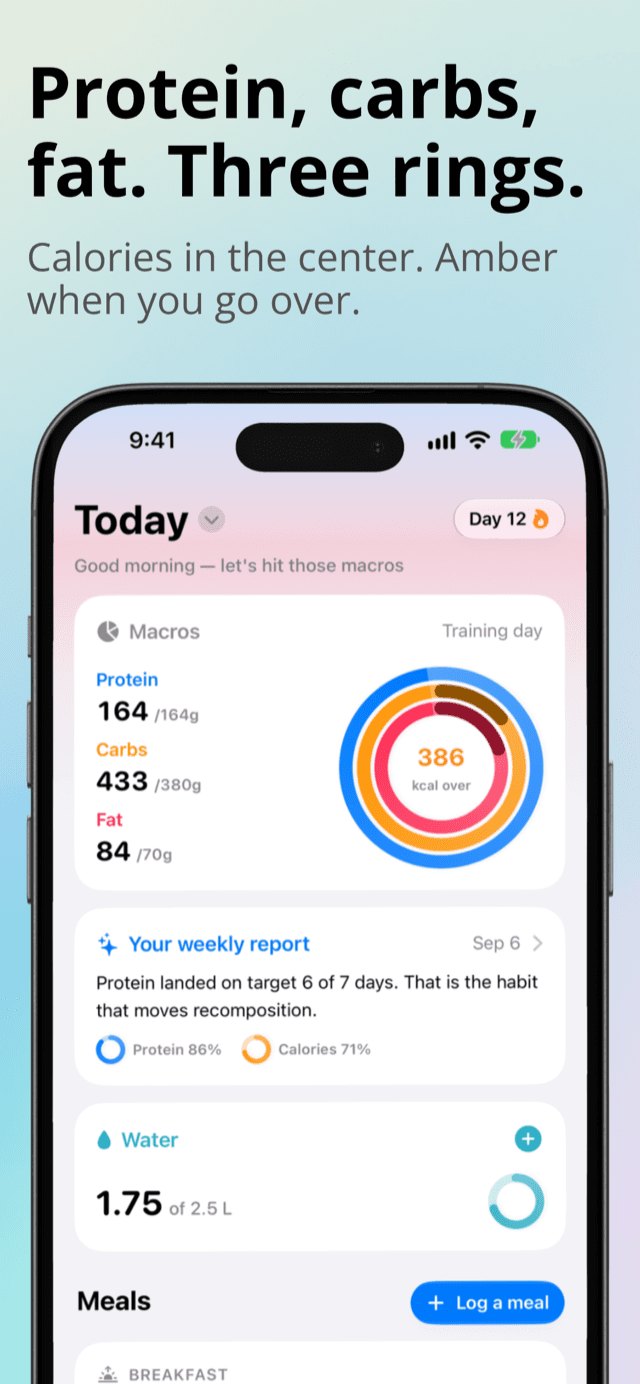
Good morning, let’s hit those macros
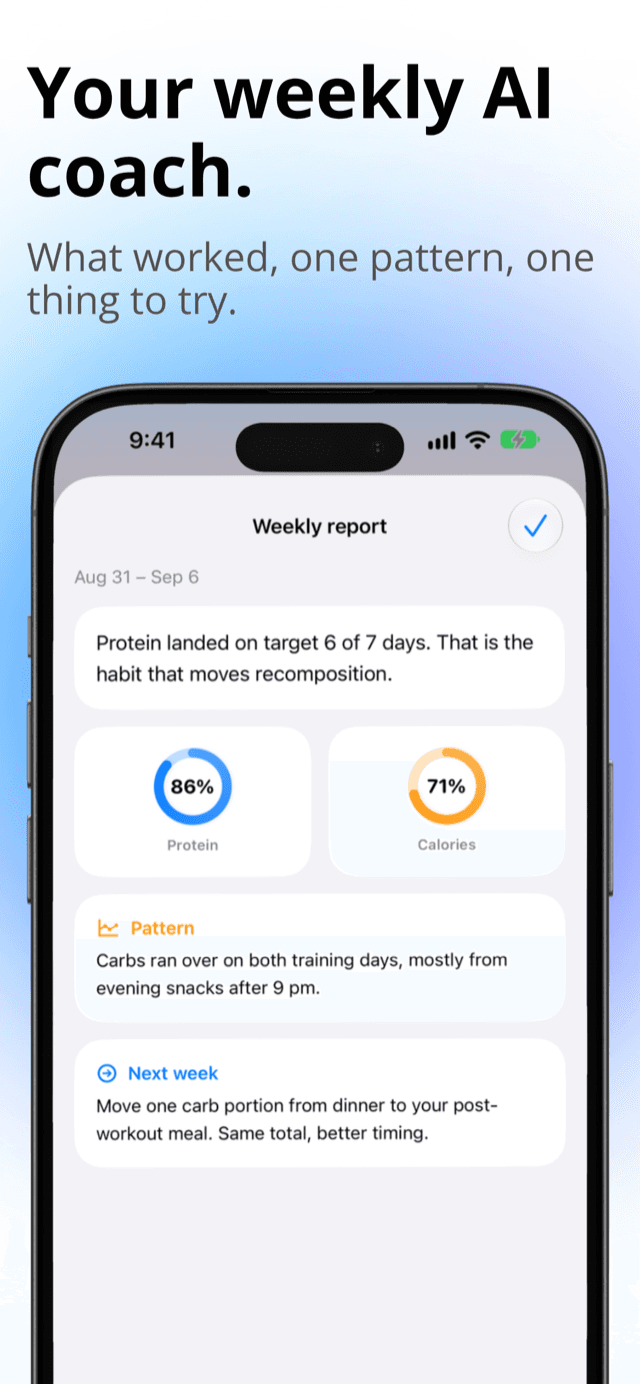
Protein landed on target 6 of 7 days. That is the habit that moves recomposition.
The fastest food tracker you have used. Pick whichever is quickest right now.
Search, meal templates and manual entry are always there too. They are unlimited and never need AI.
Photo calorie counter
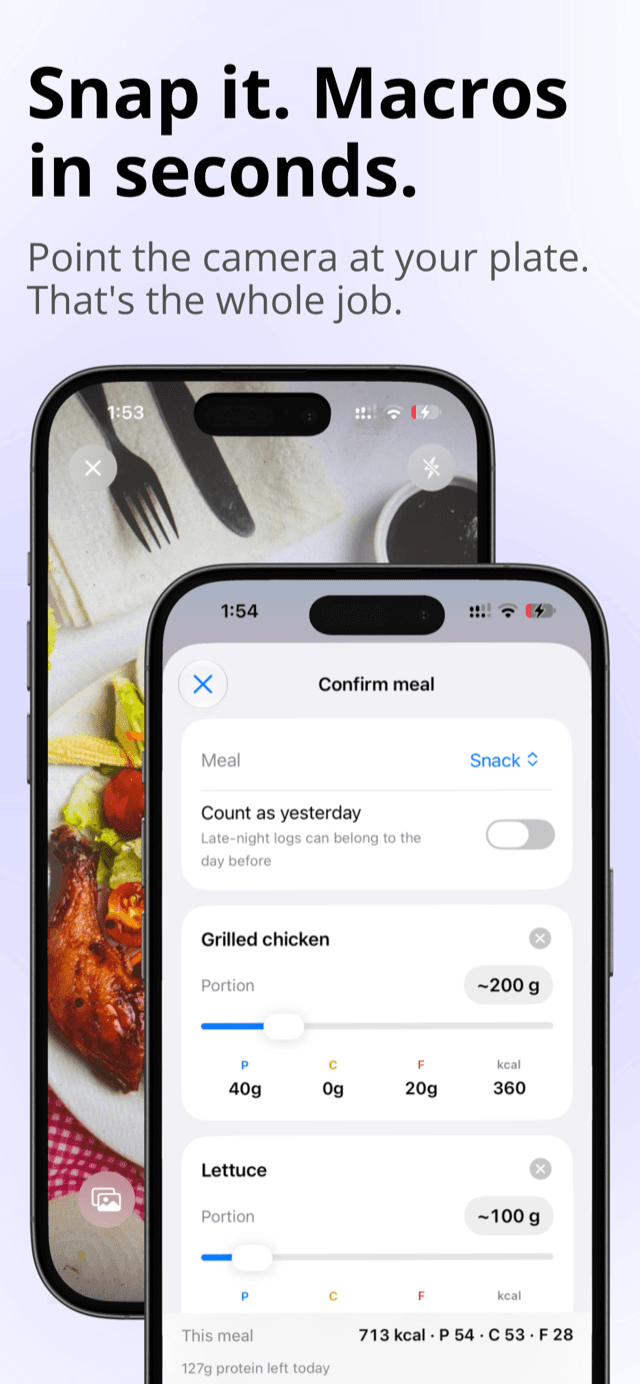
Point the camera at your plate and get every item back with its own portion and macros. Add a size hint if you want, or another photo for a second dish.
Voice food log
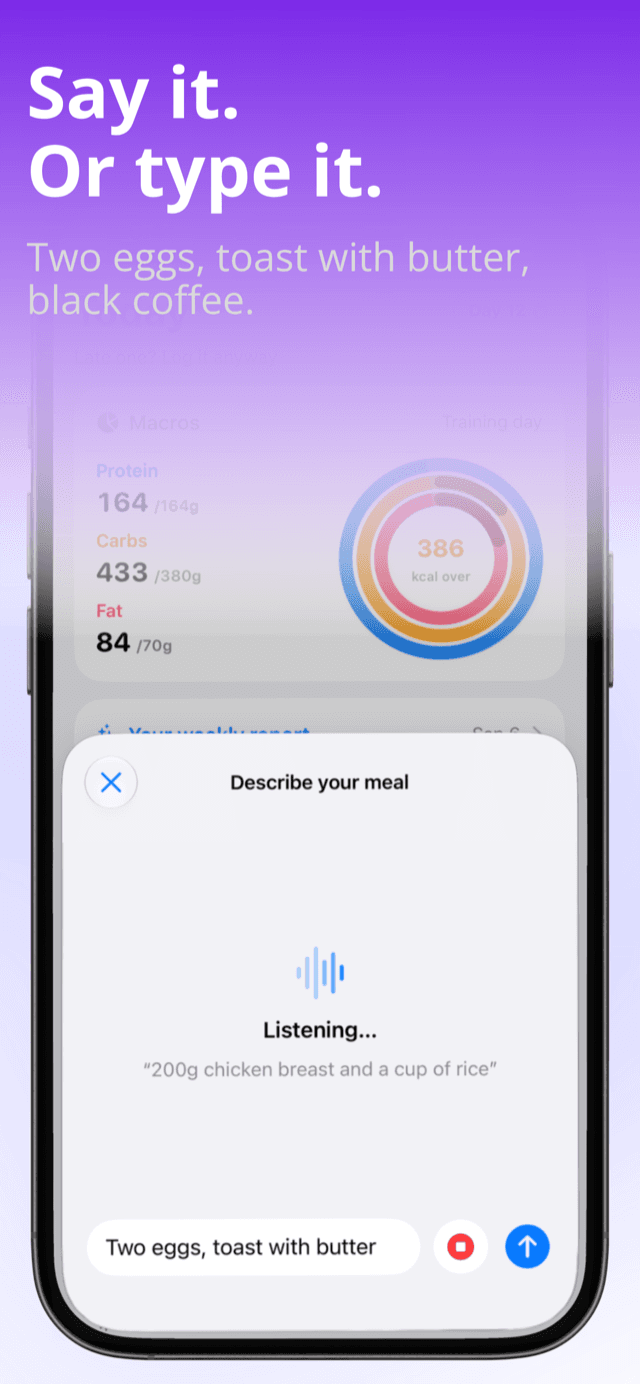
Say it the way you would tell a friend. “Two eggs, toast with butter, black coffee.” Type it if you prefer. Done.
Barcode and label scanner
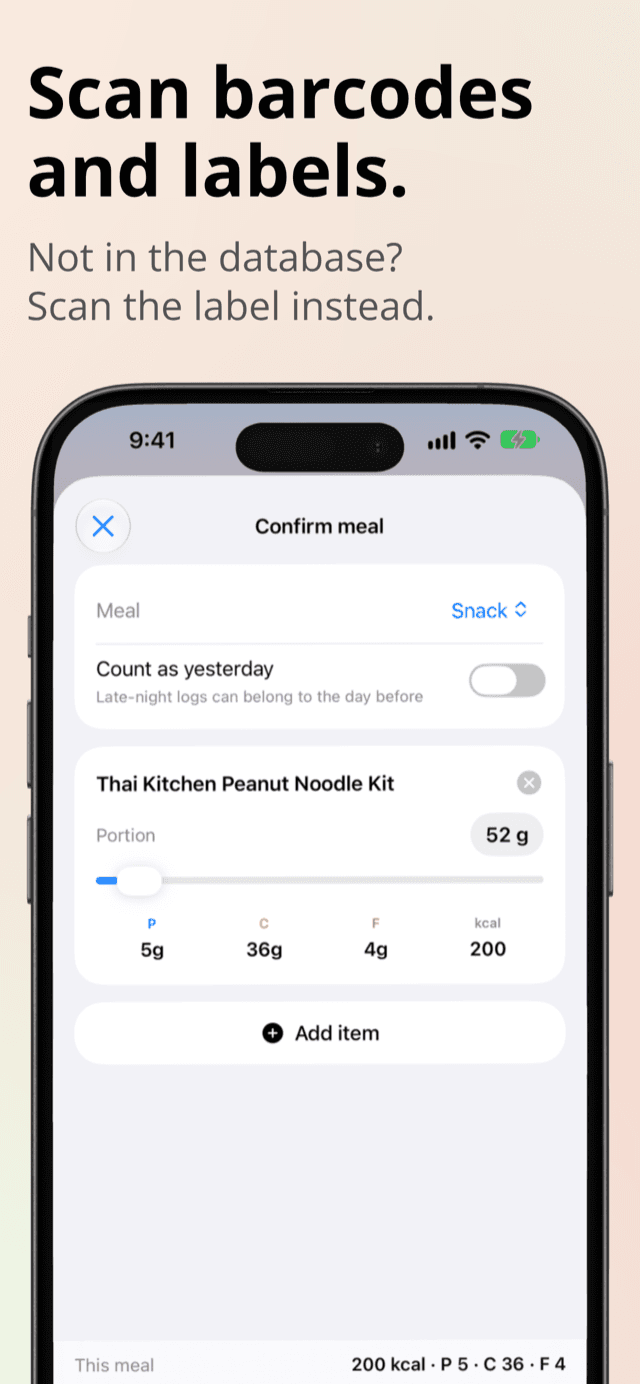
Scan any grocery product. If it is not in the database, scan the nutrition label instead and the exact values are saved for next time.
Every screen you will actually use, on one page.
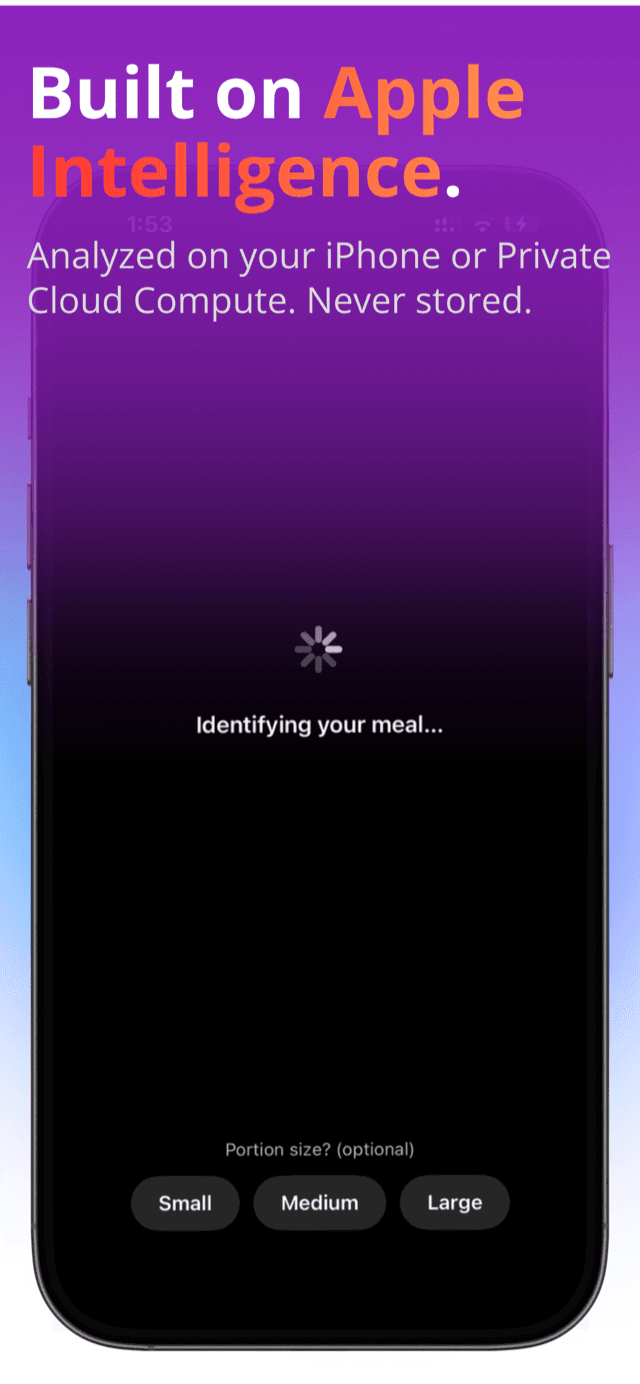
Your meals are analyzed by Apple’s models, not ours.
PortionCheck runs on Apple’s Foundation Models through Private Cloud Compute, with on-device fallback. Your meal photos and descriptions are never stored and never used for training. We never see them either, because we have no servers.
A macro tracker that shows you what is left, not a spreadsheet of what you ate.
Protein, carbs and fat as three rings
Calories sit in the center and turn amber the moment you go over, so one glance is enough. Every estimate is editable, so slide the portion and the macros update live. Countable foods work in pieces too: 2 eggs, 3 rotis, 1 banana.
Calorie targets that make sense
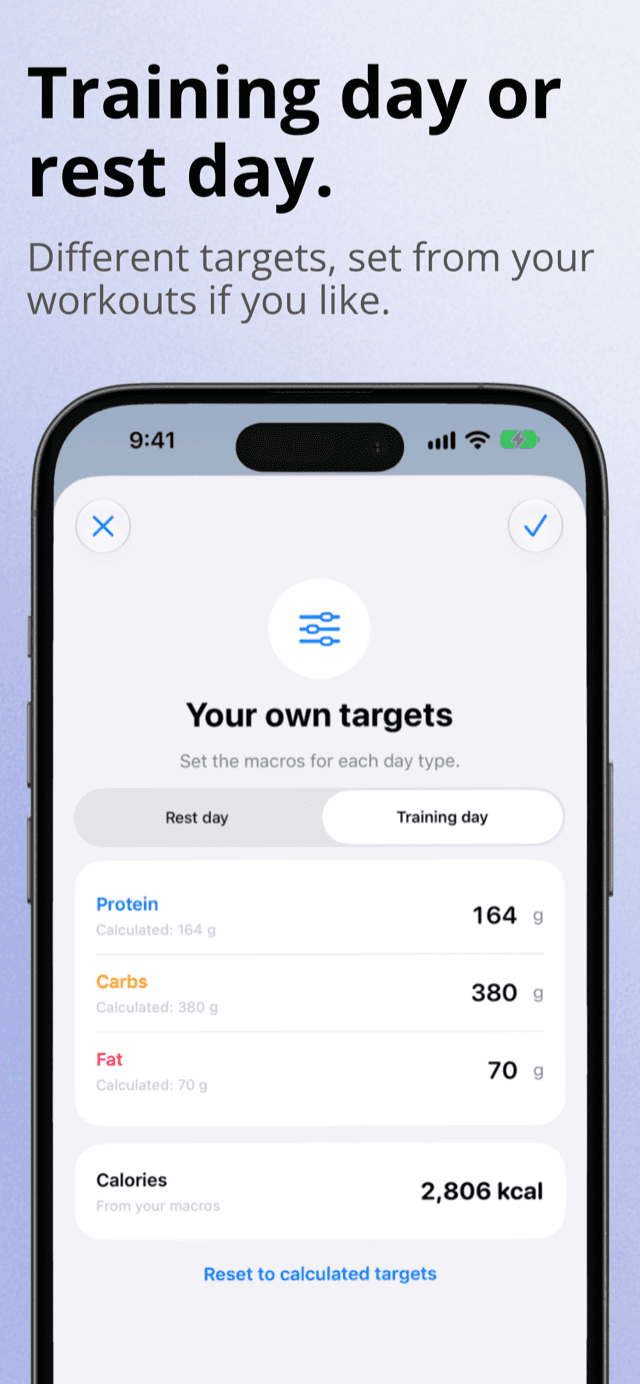
Answer a few questions and PortionCheck works out your calories and macros for muscle gain, fat loss or recomposition using the Mifflin-St Jeor equation, with safety floors that cannot be overridden. Type your own numbers over the top any time, and the calculated ones stay visible underneath so you can go back.
Training days and rest days
Separate targets for each, set automatically from your workouts in Apple Health if you like.
Streaks with a safety net
A once-a-month streak shield means one missed day does not erase your progress.
Late-night logs count as yesterday
One toggle on the confirm screen moves a midnight snack back to the day it belonged to, so a late dinner does not wreck two days of numbers at once.
Progress you can see
Weight trend chart, adherence calendar, one-tap water tracking, and private progress photos with side-by-side compare.
A weekly AI coach
Every Monday, a short report on your week: how often protein and calories landed, one pattern worth watching, and one thing to change next week. Written from your own data, in your language.
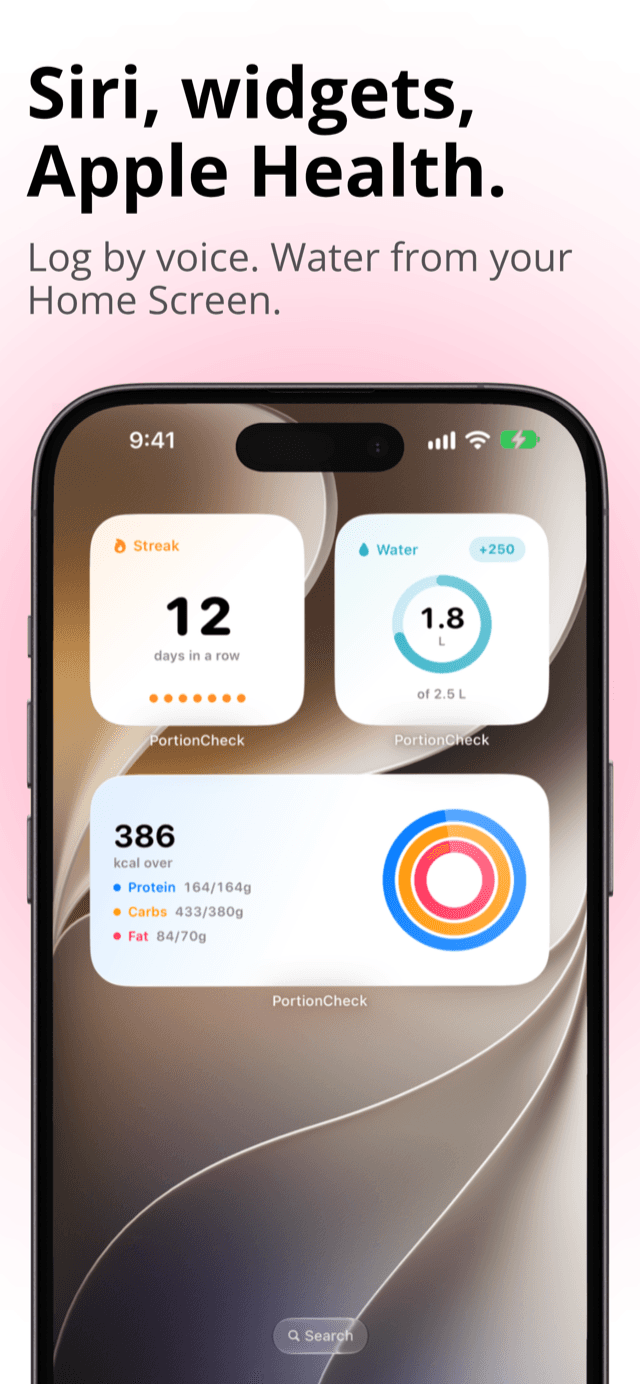
Siri, widgets and Apple Health, built in from day one.
Siri
“Log a meal in PortionCheck.” “How much protein do I have left?”
Widgets and Control Center
Home Screen and Lock Screen widgets, plus a Control Center button that opens the camera.
Apple Health
Meals, water and weight are written to Health. Weight, height and workouts can be read from it.
Private iCloud sync
Syncs across your iPhones through your own iCloud account. Nothing goes through our servers.
Available in English, German, Spanish, French, Italian, Polish, Portuguese, Turkish, Indonesian and Vietnamese.
Free calorie counter, with Pro when you want more AI.
Free
Everything below, forever.
- 3 AI meal logs per day
- Unlimited barcode, search, template and manual logging
- All progress tools, streaks and charts
- Widgets, Siri and Apple Health sync
- Your first weekly AI report
PortionCheck Pro
Monthly, yearly, or a one-time lifetime purchase.
- No daily limit on AI photo, voice and text logging
- The weekly AI coach report, every week
- Everything in Free
Start logging in seconds. Keep your food log to yourself.
No sign-up. No email. No third-party analytics or ads. Meal photos stay on your device and data syncs only through your own iCloud account.